

Uninstalling the HubSpot app
Follow these steps to disconnect and uninstall the app from your HubSpot account.
Step 1: Navigate to Integrations
In your HubSpot account, open Connected Apps.
Find HubSpot for Jira in the My Apps list.
Step 2: Uninstall the App
Click Actions next to the app.
Select Uninstall from the dropdown menu.
In the confirmation dialog box, type "uninstall" in the text field.
Click Uninstall to complete the process.
Step 3: Understanding the Impact of Uninstalling
Effect on Jira
All embedded HubSpot data will disappear from Jira work items.
You will see a notification message in Jira indicating that the data is no longer available.
Effect on HubSpot
The HubSpot for Jira app panel will no longer appear in the object dashboard.
You will no longer be able to link Jira work items to HubSpot objects.
You will no longer be able to create Jira work items from HubSpot.
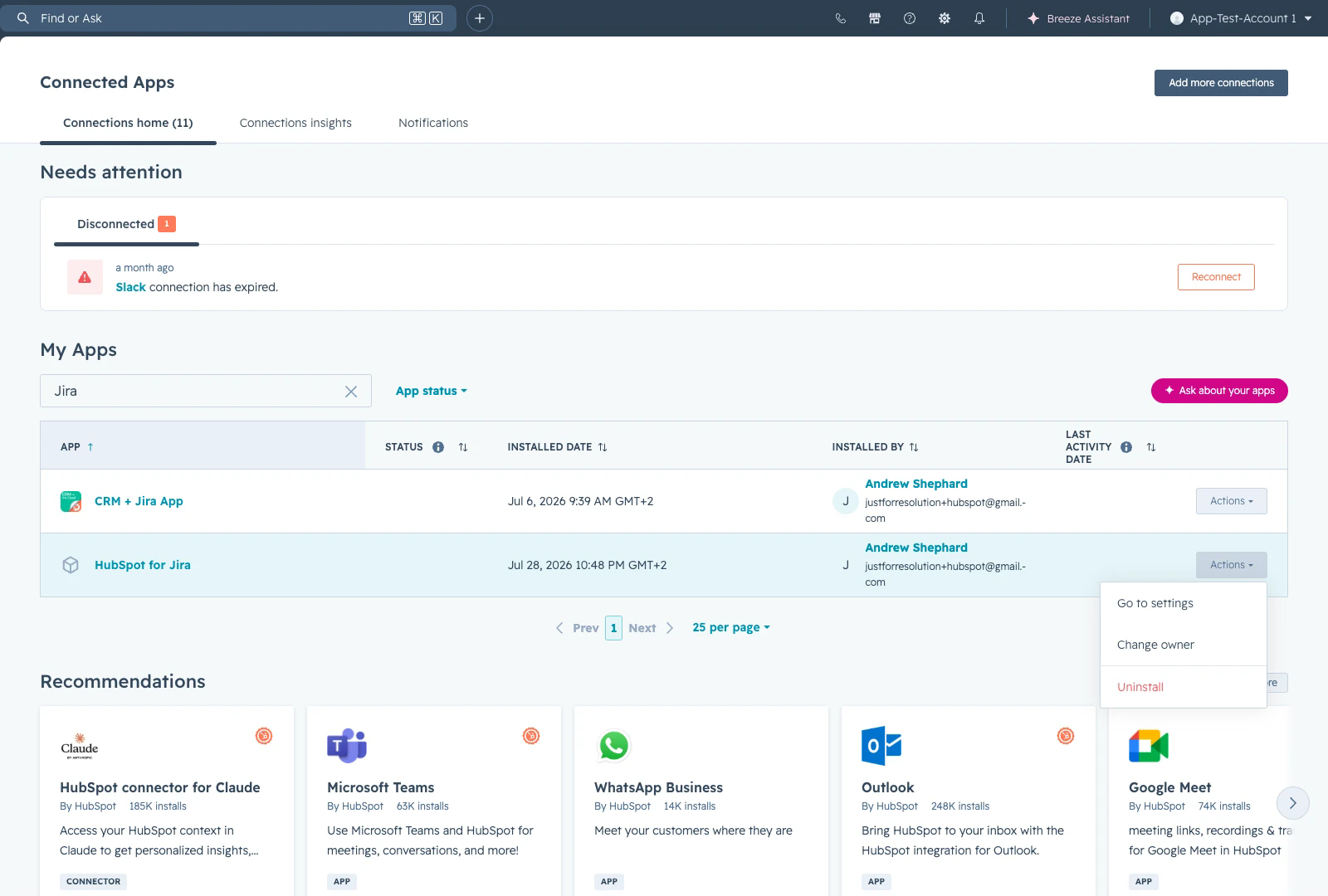
Open the Actions menu on the HubSpot for Jira row, then select Uninstall.