

Creating Time-Based Rules Manually
An out of office rule runs on whole days unless you tell it otherwise. Start Time and End Time both read All day when the rule form opens. Open either list: All day sits at the top, followed by times in 15-minute steps - 12:15 AM, 12:30 AM, 12:45 AM and on through the day. Picking one of those is what makes a rule time-based: a half day, an appointment, or a trip that begins after lunch.
The rest of the form - work item scope, coverers, approver coverers, message, mention tag and recurring rules - is described in Rule Configuration Guide.
Set the times on a rule
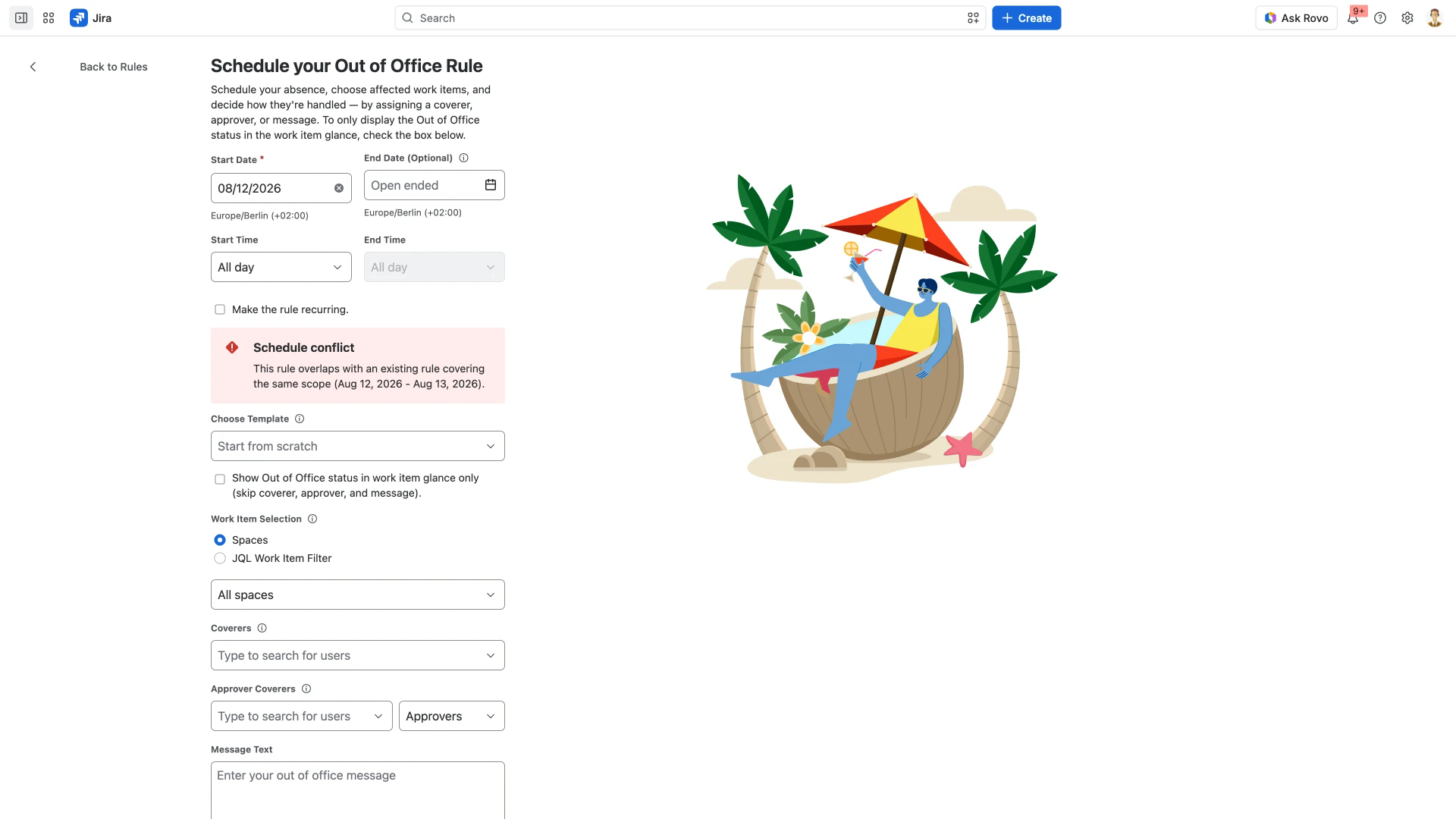
Open the My Rules tab and select Add rule for myself. The rule form opens as a full page headed Schedule your Out of Office Rule.
Pick a Start Date. It is the one field marked required.
Pick an End Date if the absence has one. Left alone it reads Open ended.
Set Start Time to the time the absence begins.
Set End Time to the time you are back. It stays disabled while End Date is Open ended, so choose the end date first.
Set a coverer, an approver coverer or a message, or tick Show Out of Office status in work item glance only further down the form.
Select Create Rule. It stays greyed out until the rule has one of those four - dates and times alone are not enough.
The schedule fields sit at the top of the form.
Which timezone the times are read in
Each date field prints a timezone beneath it, such as Europe/Berlin (+02:00). The times you set are times in that timezone, not in the reader's. Timezone Selection covers where that timezone comes from and what colleagues in other regions see.
Check what saved
A time-based rule prints its time under each date in the Schedule column of My Rules, for example Jul 20, 2026 / 12:45 AM through Jul 31, 2026 / 08:30 PM. A rule left on the default shows All day instead.
Related pages
Rule Configuration Guide - every other field on the rule form, recurring rules, and what a rule needs before it can be saved.
Timezone Selection - how the rule's timezone is chosen and how times appear to other people.
The List of Out of Office Rules - reading, pausing, editing and deleting saved rules, and what each column of My Rules shows.
Integrations - rules created for you from a calendar or a timesheet plan, which can also carry times.