

Google Workspace Global Integration
The Google Workspace Global Integration is available. A Jira admin sets it up under Administration > Global Integrations.
The Google Workspace integration can be set up as a Global Integration. This skips the authorization step for individual users, so that they don’t need to configure the app by themselves. Creating Out of Office events in Google Calender creates Out of Office rules for all applicable users.
Authorizing the Integration
When creating the integration, a Google service account is created. This service account is deleted again when the integration is removed or when the app is uninstalled.
The key to that service account is stored securely in the encrypted Forge secret store (https://developer.atlassian.com/platform/forge/storage-reference/kvs-api-secret/) within the Atlassian Forge platform.
After adding the integration, the service account’s Client ID and the required scope https://www.googleapis.com/auth/calendar.events.readonly is shown:
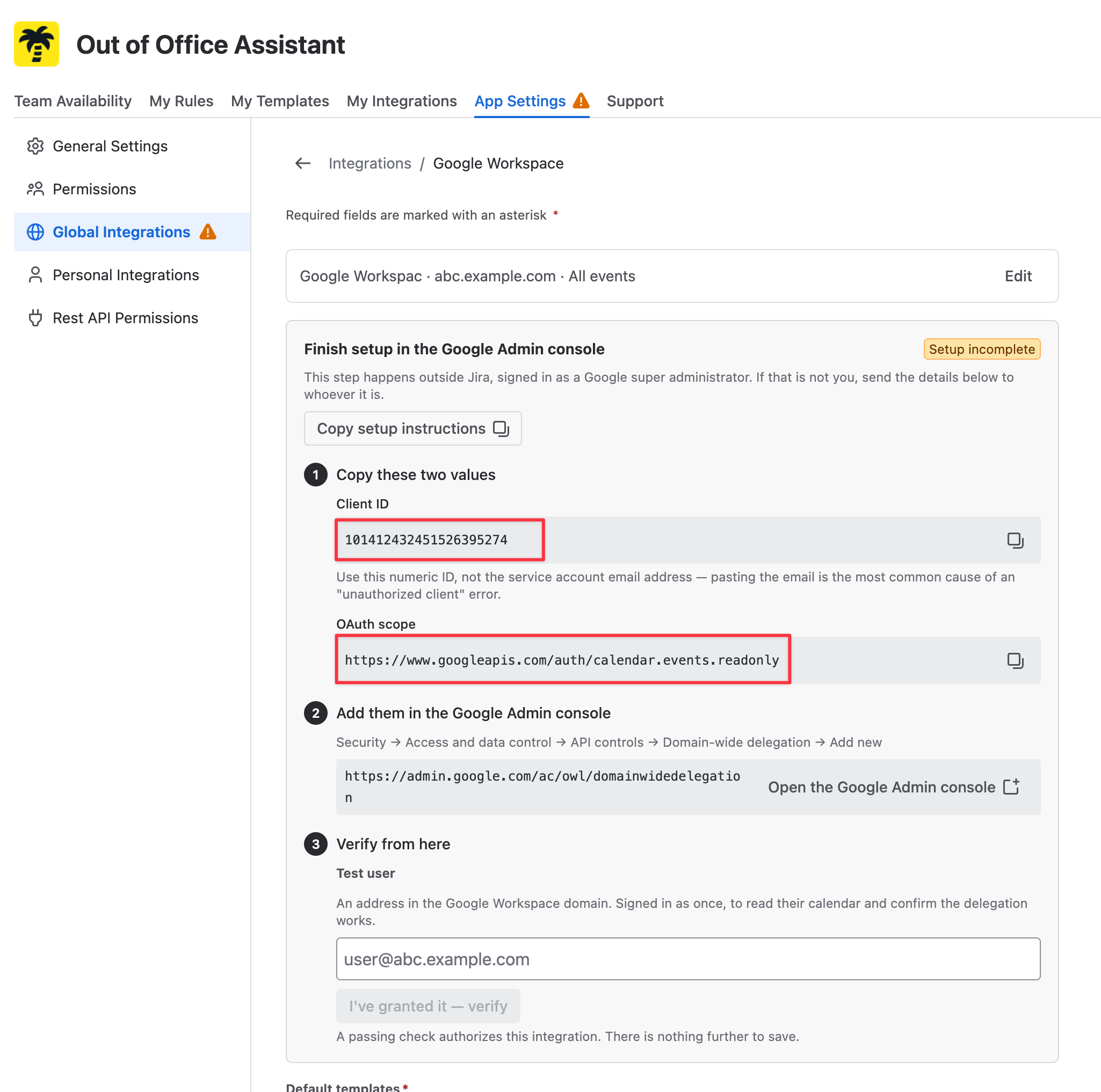
A new Domain-wide Delegation needs to be added in the Google Workspace console by an administrator:
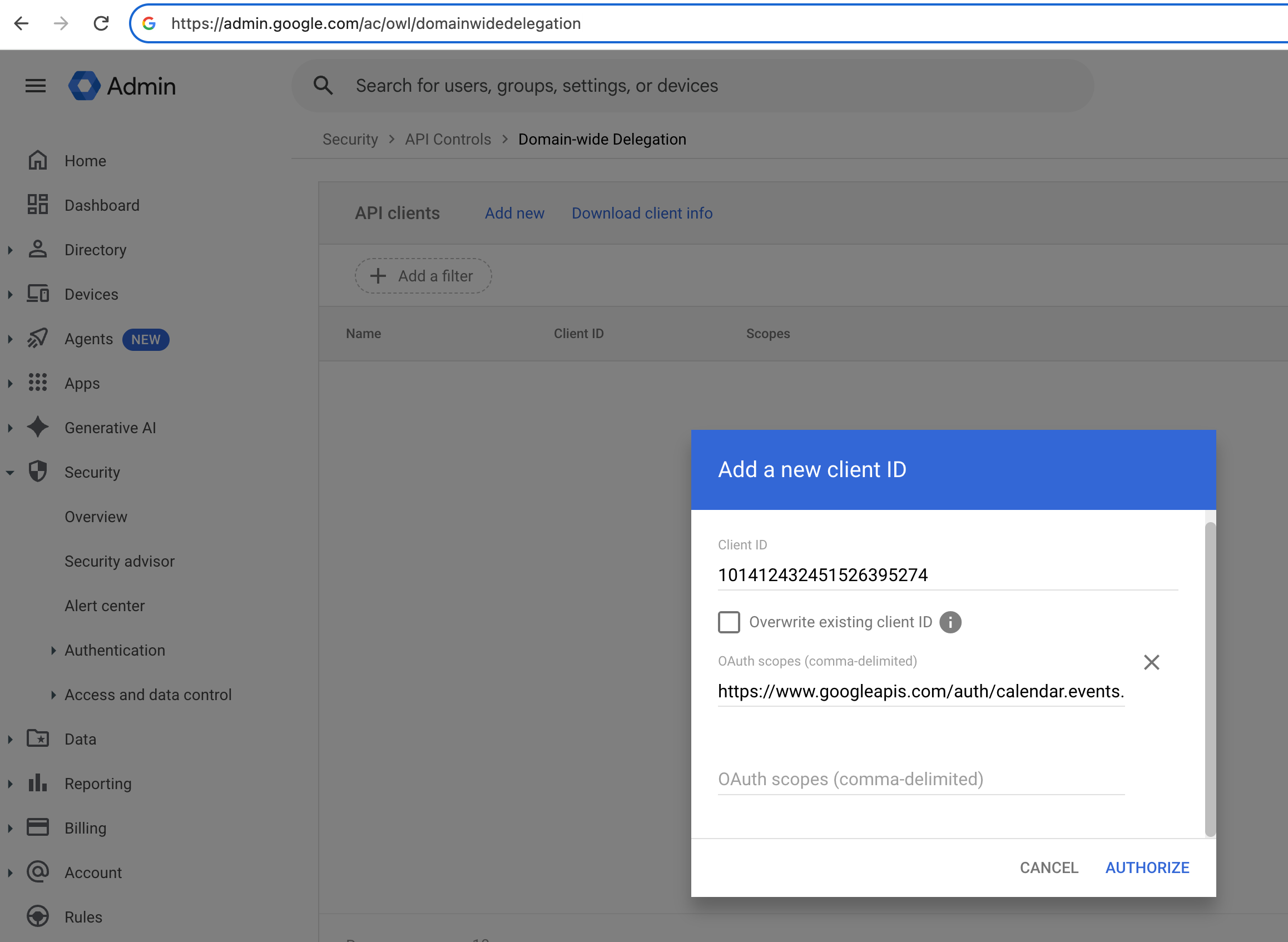
After this is done, the integration can read the calendar events of all users in the Google Workspace tenant.
When this Domain-wide delegation is removed, the integraton will no longer have access and stop working.
If the integration is removed and recreated for any reason, a new service account with a new Client ID is generated, so the Domain-wide delegation needs to be granted again.