

Customization Options
Common questions about customizing NASA meeting streams - names, questions, templates, filters, and branding.
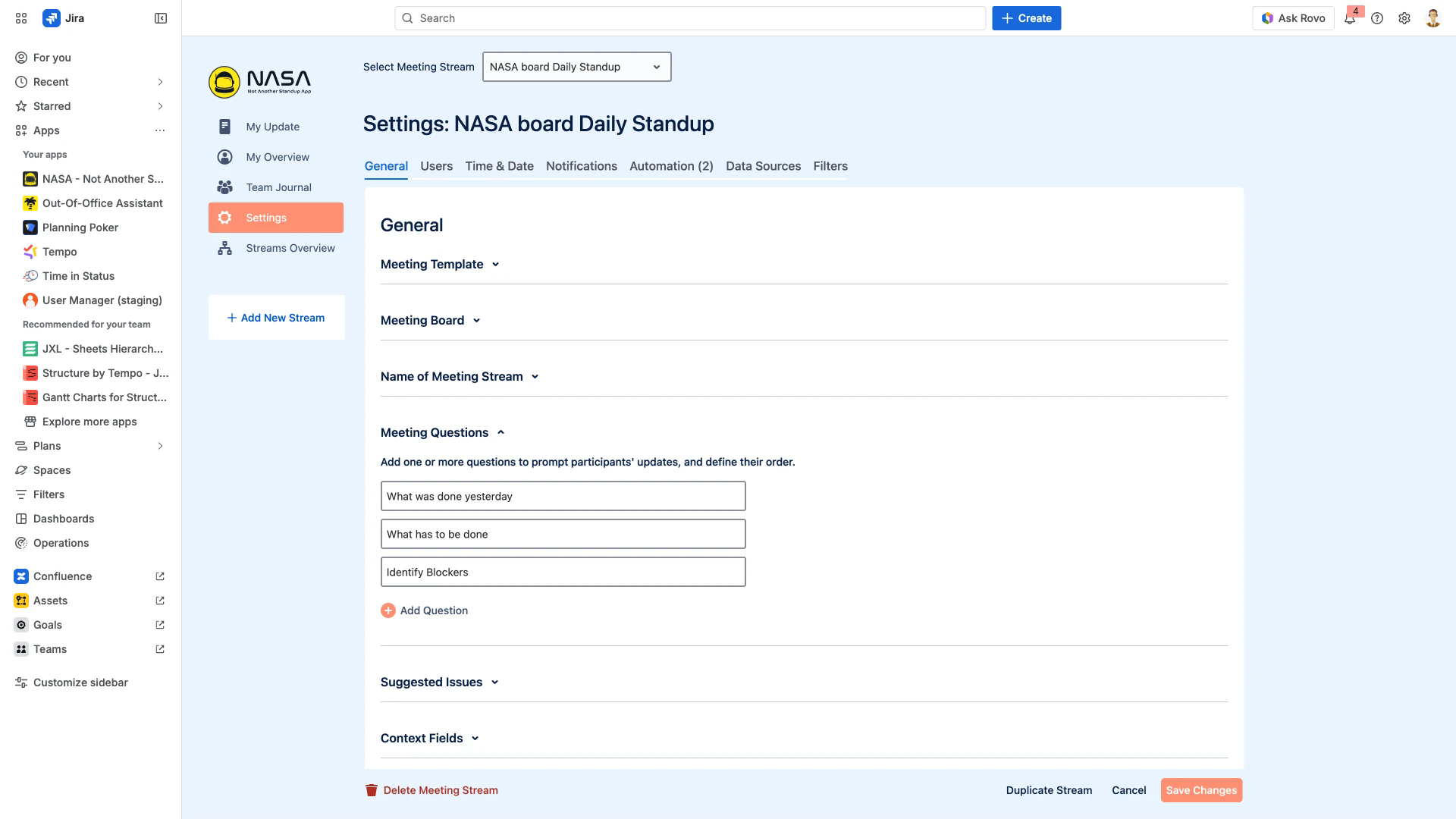
The screenshot below shows the Meeting Questions section in Settings > General, where you can edit, add, or reorder the questions that prompt participants during updates.
Stream Configuration
How do I rename my meeting stream?
Open Settings > General > Name of Meeting Stream and enter the new name. The change applies immediately across the app for all participants.
Can I customize the stream icon or logo?
Yes. In Settings > General > Logo, you can upload a custom icon for each stream. This is the only visual branding option available - custom color schemes are not supported.
Who can edit meeting streams and settings?
Participants assigned as Scrum Master or Coverer roles can edit stream settings. See General for role configuration.
Meeting Questions
How do I customize the questions asked during updates?
In Settings > General > Meeting Questions, you can edit, add, remove, and reorder the questions that appear during the update phase. For example, you can rename "Identify Blockers" to "Risks & Dependencies" or add a retrospective-style question.
Can I rename the default "Blockers" question?
Yes. Each question field is a free-text input. Edit the text directly to change it to anything your team needs.
Are any questions mandatory?
No fields are mandatory. However, if a participant submits an update without answering a question, the empty answer is still visible to the team in the meeting view.
Templates & Duplication
Can I reuse a stream configuration for different teams?
Yes. NASA offers two approaches:
Meeting Templates - Select a pre-built template (Daily Standup, Sprint Review, Retrospective, and others) during stream creation. Templates auto-configure questions and time allocations. See Meeting Templates.
Duplicate Streams - Copy an existing stream's full configuration (questions, time allocations, filters, settings) to a new stream. See Duplicate Streams.
How do I select a template during stream creation?
When creating a new stream, the Meeting Template selector appears as the first option. Choose a template to pre-fill questions and time settings, then customize as needed.
Filters & Suggested Issues
What filter options are available for suggested issues?
NASA supports four filter types for suggested issues: Priority, Issue Type, Status, and By Jira Issue Filter (custom JQL). Configure these in Settings > General > Suggested Issues. See Suggested Jira Issue Selection.
Can I use custom JQL to focus on specific issues?
Yes. Select By Jira Issue Filter and choose a saved Jira filter that uses JQL. This lets you narrow suggested issues to specific components, labels, sprints, or any criteria supported by JQL.
Do filter changes take effect immediately?
Yes. Any changes to filter configuration or to the underlying Jira filter update the suggested issues in NASA automatically.
Limitations
Can I create custom reports from NASA data?
No. NASA does not support custom reports at this time.
Can I customize the fields shown when creating a Jira issue from NASA?
No. The fields displayed during issue creation are determined by your Jira board settings and cannot be changed within NASA. See Meeting Settings for other configurable options.