

Stream Privacy
Stream Privacy hides a meeting stream from users who are not assigned as participants. When enabled, only Scrum Masters, Coverers, and active Participants can see the stream in the Streams Overview.
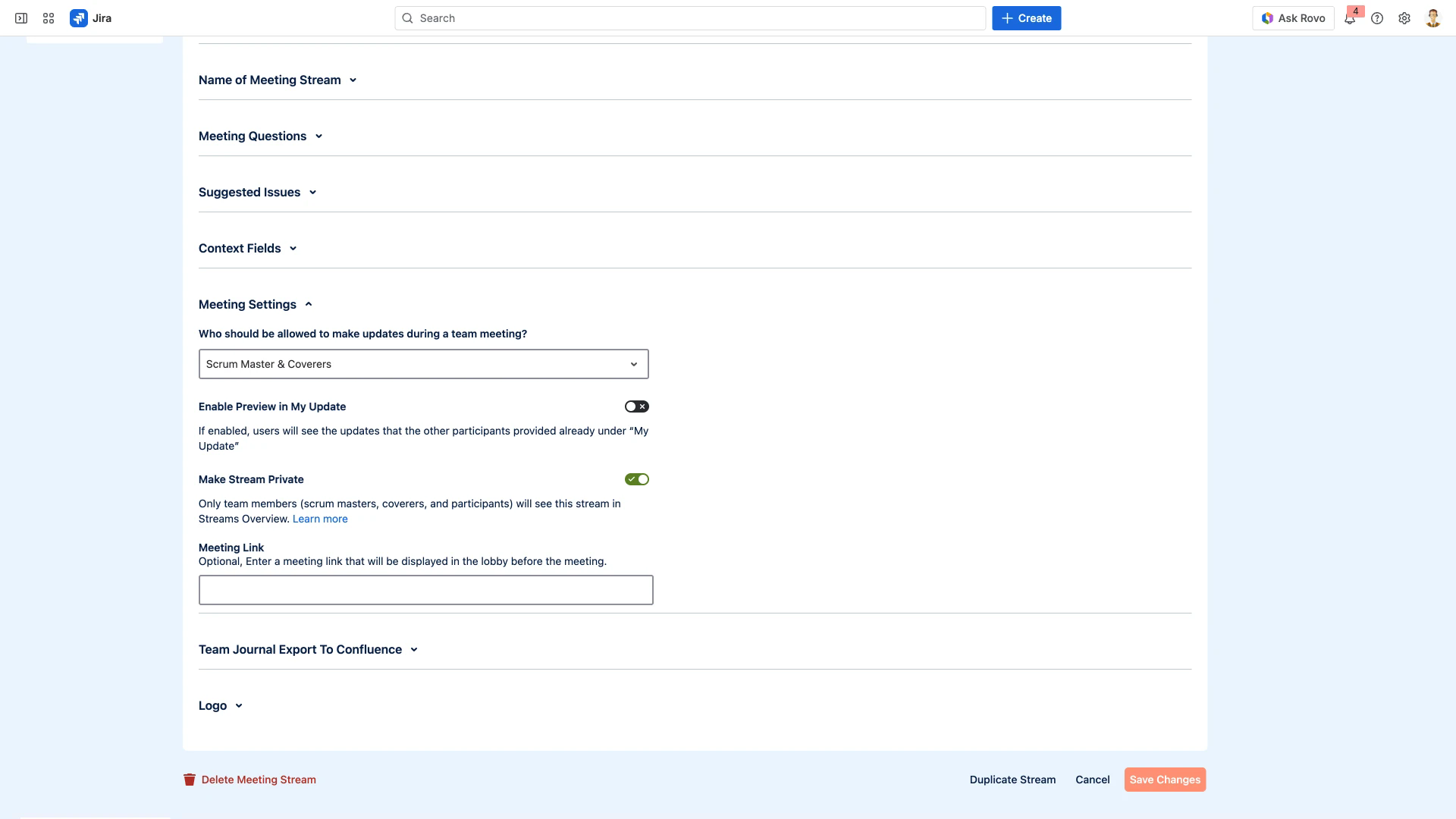
How to Enable Stream Privacy
Open your stream's Settings.
Select the General tab.
Expand the Meeting Settings section.
Enable the Make Stream Private toggle.
Click Save Changes.
Who Can See a Private Stream
When Stream Privacy is enabled, the stream is hidden from the Streams Overview for all users except:
Scrum Masters - full access to the stream and its settings.
Coverers - can access the stream and change settings.
Participants - can see the stream and prepare their updates.
All other NASA users in the Jira instance will not see the stream listed in their Streams Overview. The stream name and participant list are also hidden from non-participants.
Who Can Configure Stream Privacy
Only Scrum Masters and Coverers can toggle the Make Stream Private setting. Participants cannot change this setting. For details on role permissions, see User Roles & Permissions.
Related Pages
Meeting Settings - all settings available in the Meeting Settings section
General - full General settings tab reference
User Roles & Permissions - who can configure stream settings
Stream-Based Workflow - how streams organize meetings
Duplicate Streams - duplicating streams preserves the privacy setting