

License Optimizer and LDAP Directories
Prerequisites/When to use
When using License Optimizer in Jira Software/Jira Core with no Jira Service Management installed and running an LDAP/Microsoft Active Directory-type connector for one or more of your user directories, you might have a configuration that adds users to one or more groups during the first login of the user:
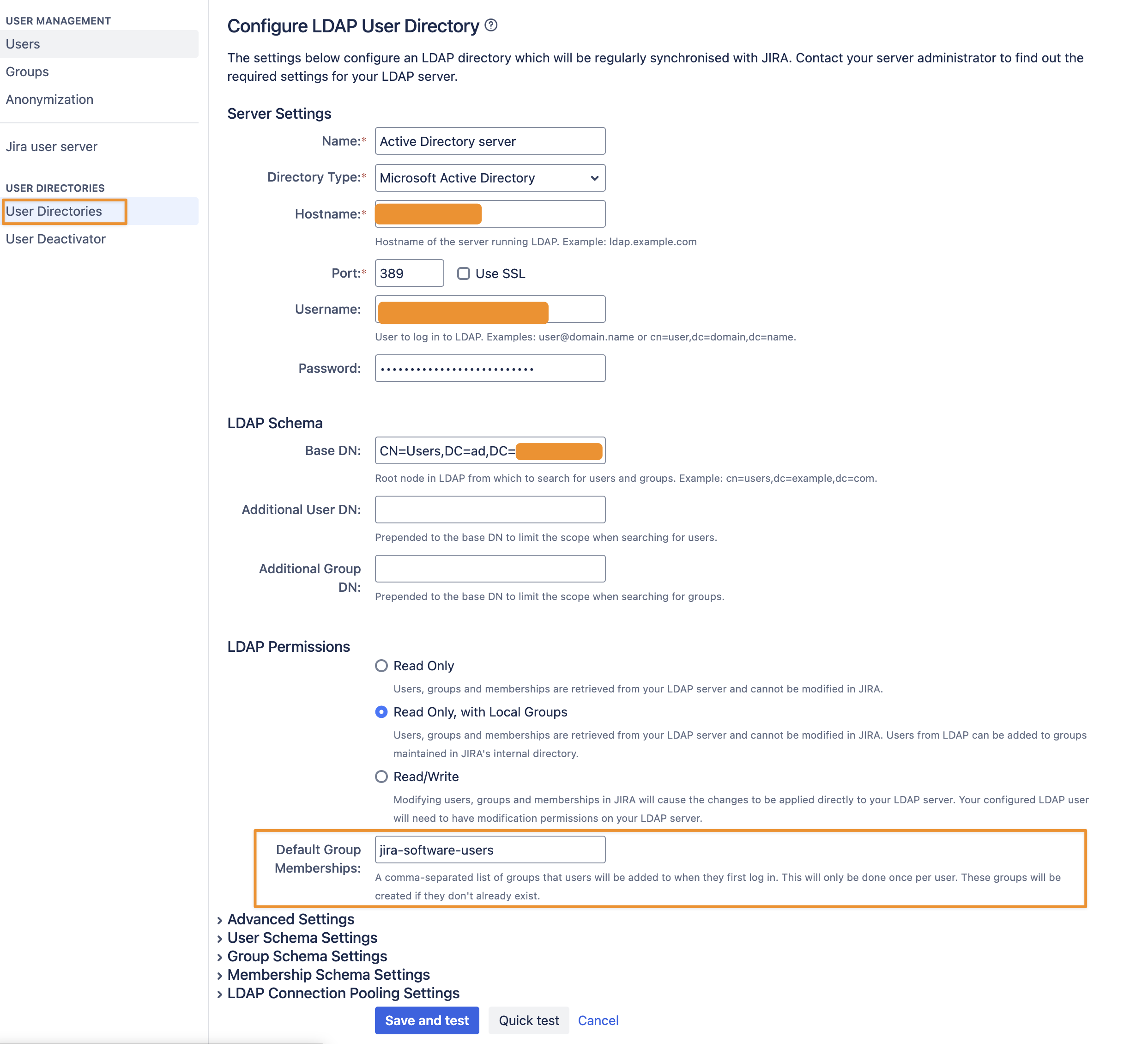
Adding the user to the group that way happens a bit too late for our app to detect whether the user is a member and needs to be added to the License Group, causing an error on first login. While the subsequent logins work fine, this can be solved as described next.
Solution
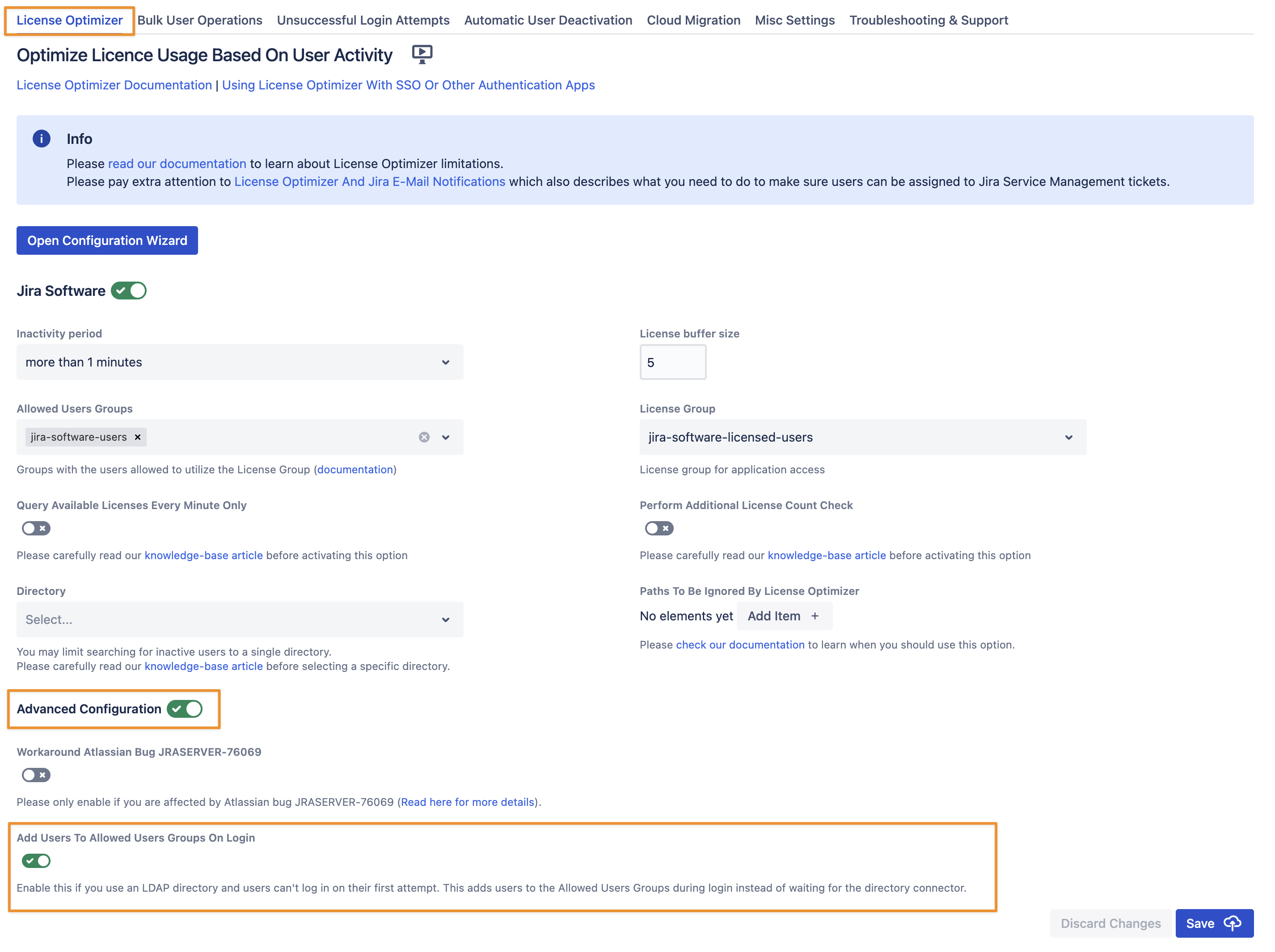
Toggle/Reveal the Advanced Configuration option of the License Optimizer Jira Software/Jira Core configuration and enable “Add Users To Allowed Users Groups On Login“. Only during the first login will it add the user to the Allowed Users Groups and thus work around the problem. Don’t forget to save the settings after making the change.
This is not required when running Jira Service Management, either on top of Jira Software/Core or on its own. Confluence also doesn’t need this option.