

Cloud Migration Preparations
Introduction
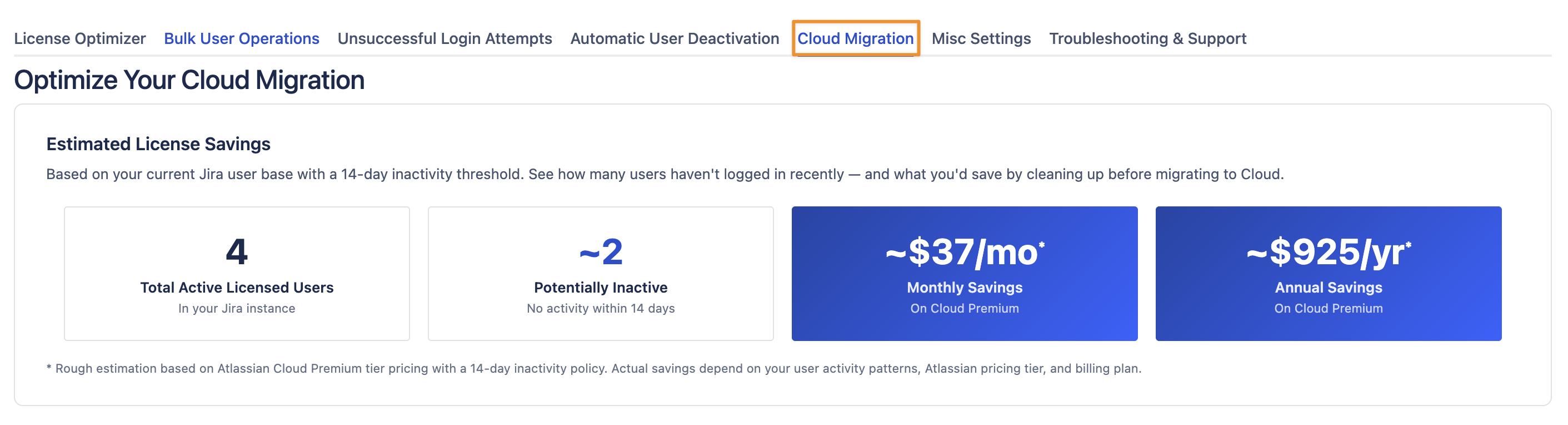
Since version 6.5.0, there is a new tab in the settings called “Cloud Migration”. It provides insights into potential savings when using the Cloud version of our app.
Calculation
The user numbers are the average of the statistics collected so far, which can span up to 90 days/records.
Total Active Licensed Users
This is the number of active users who consume a license, either directly or via License Optimizer, by being members of one of the Allowed Users Groups.
Potentially Inactive
The number of users who have been inactive/not using the Atlassian product for more than 2 weeks.
Monthly Savings
We look up Atlassian's published Cloud pricing for your current user count and divide it by your total user count to get an estimated cost per user per month. We then multiply that by the average number of users who were inactive for 14 or more days (or never active at all), based on snapshots collected over time. This gives an indicative monthly amount you could save if those users were not consuming a Cloud license.
Annual Savings
Same as the monthly calculation, but using Atlassian's annual Cloud pricing instead. We take the annual plan price for your current user count, divide by the total number of users to get a per-user annual cost, and multiply by the average number of inactive users (14+ days or never active). The result is an indicative figure for what you could save over a full year by not paying for licenses you aren't using.
Configuration
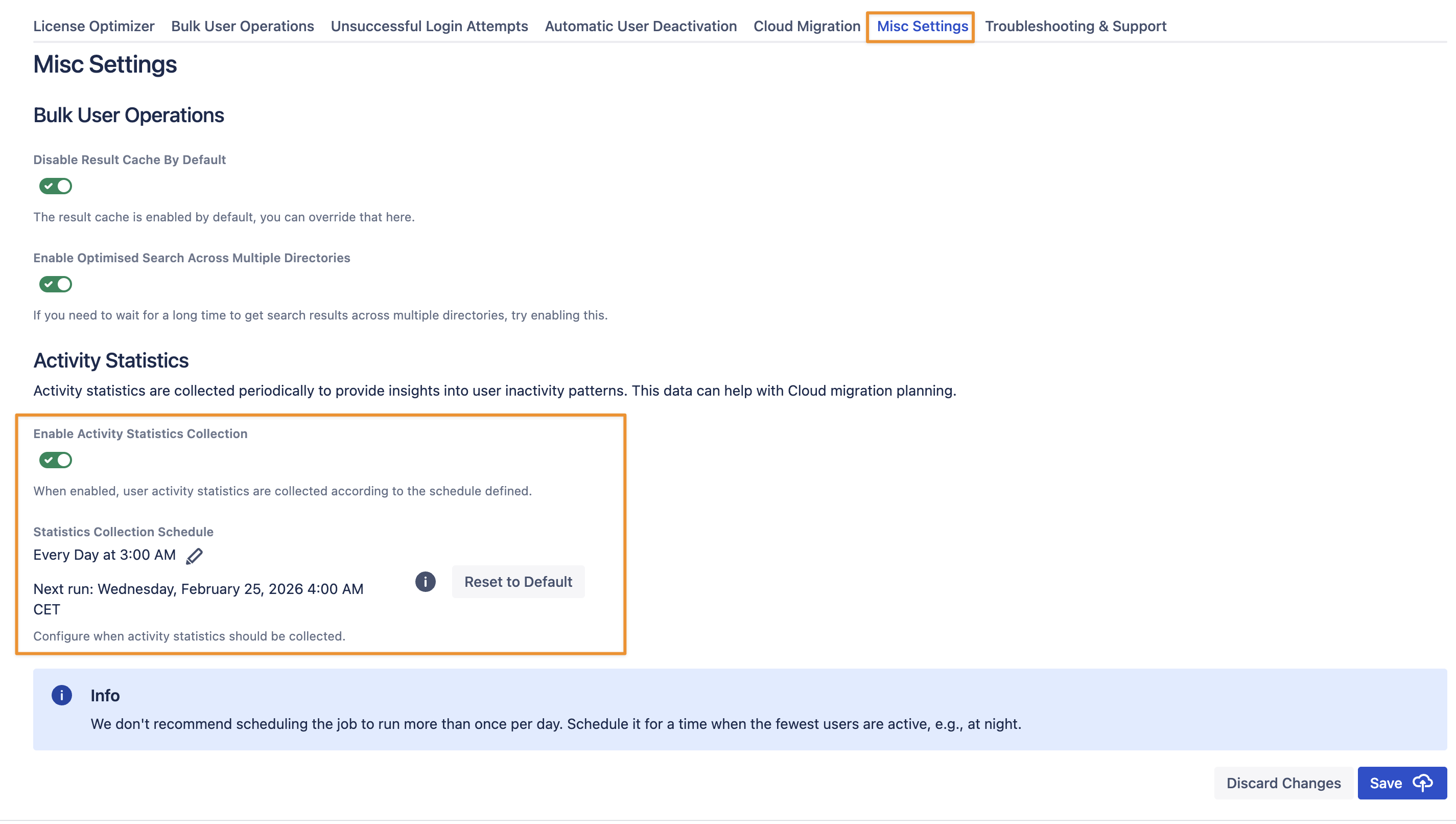
By default, the statistics job runs every night at 3 am UTC. If this isn’t an ideal time, you can reschedule the job or turn it off if you don’t need it. Navigate to the Misc Settings tab and change the settings according to your needs:
Data Retention
The numbers collected are stored in the database for 90 days; older records will be deleted.