

NASA Interface
NASA runs as a Forge app inside Jira. Access it via the Jira sidebar under Apps > NASA - Not Another Standup App. This page shows every screen in the interface.
Sidebar Navigation
The left sidebar contains five navigation buttons, always visible:
My Update - Prepare your contributions for the next meeting
My Overview - Personal dashboard with statistics and activity
Team Journal - Browse past meeting records and export to Confluence
Settings - Configure the current stream (Scrum Master/Coverer only)
Streams Overview - View and manage all meeting streams
Stream Selector
The Select Meeting Stream dropdown at the top of the interface switches between streams. Your role and available features may change depending on the selected stream.
My Update
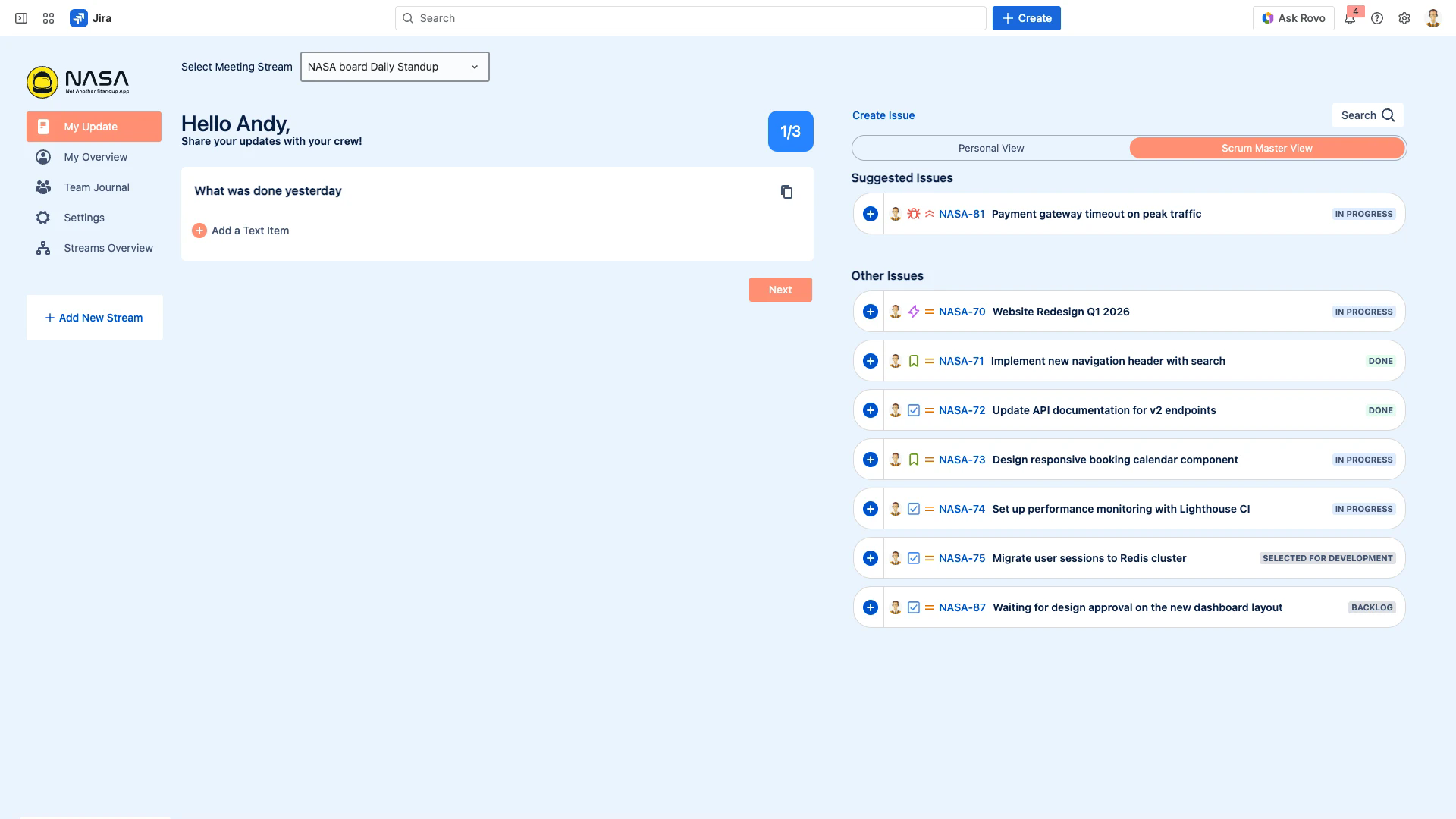
The starting point for meeting preparation. The left panel displays the current question with a text area and "Add a Text Item" button. The right panel shows Suggested Issues from the linked Jira board and Other Issues, with a toggle between Personal View and Scrum Master View.
Key elements:
Question progress indicator (e.g., "1/3") in the top right
Copy Items From Last Meeting button next to each question
Create Issue and Search buttons above the issues panel
Next button to advance through questions
My Overview
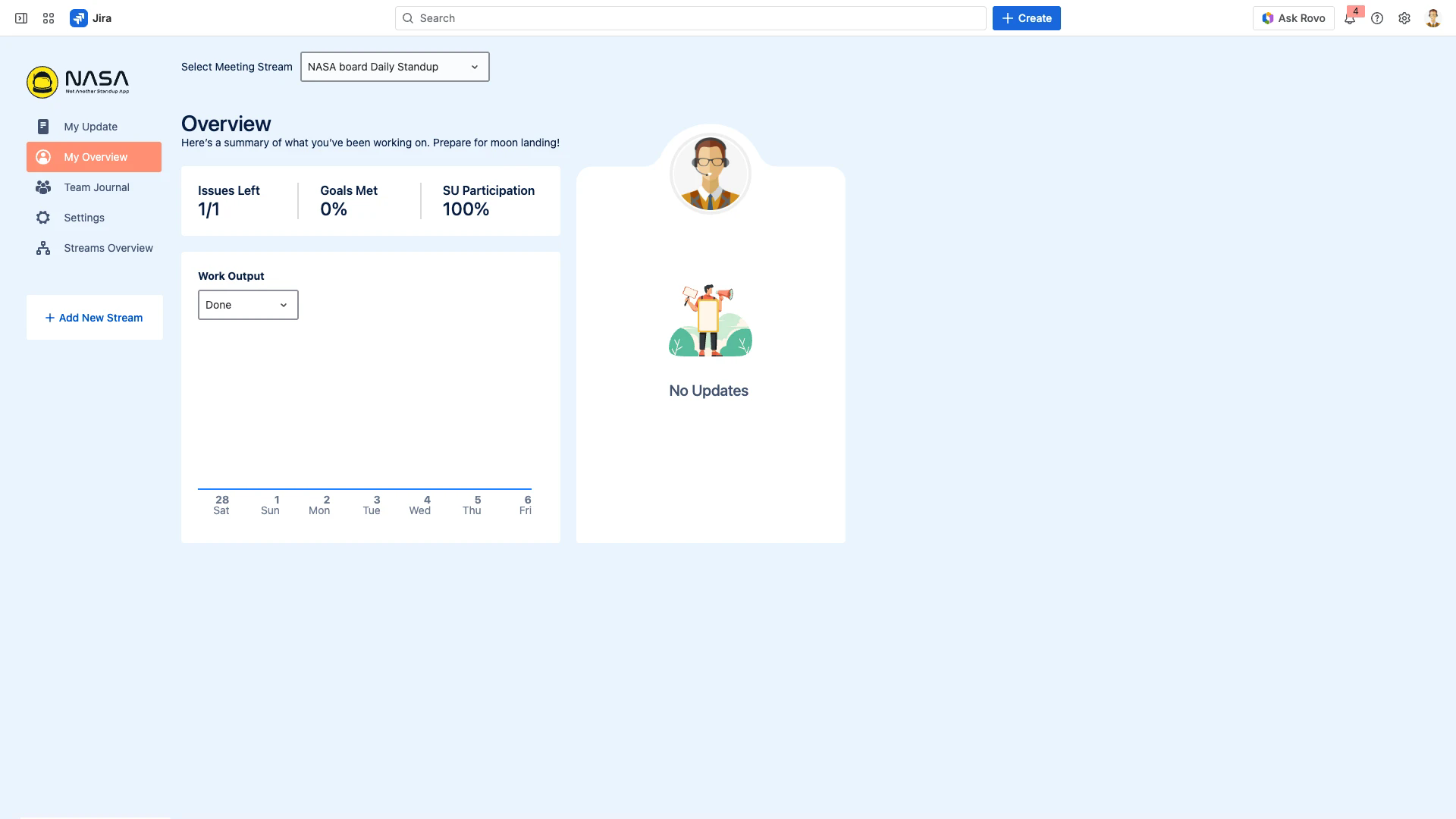
A personal dashboard showing your activity for the selected stream:
Issues Left - Remaining issues in the current sprint/cadence
Goals Met - Percentage of completed issues
SU Participation - Your standup attendance rate
Work Output - Daily graph of issue movement (In Progress / Done)
Recent Updates - Your latest meeting contributions
Team Journal
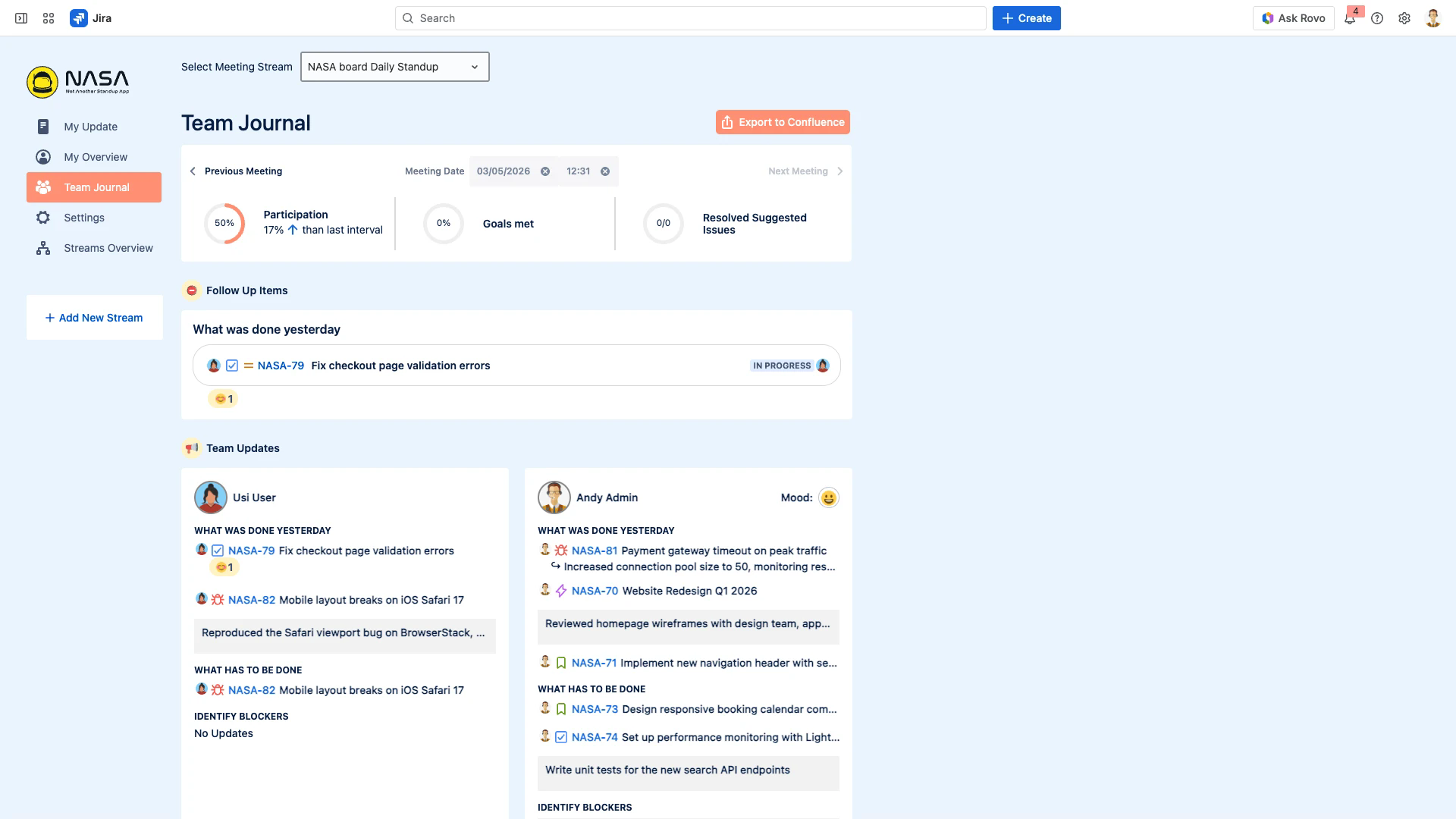
The collective record of past meetings. Key sections:
Meeting navigation - Browse by date with Previous/Next Meeting buttons
Statistics - Participation rate, Goals Met, Resolved Suggested Issues
Follow Up Items - Issues flagged during the meeting for post-meeting action
Team Updates - Each participant's contributions organized by question, including Jira issues, text items, comments, and emoji reactions
Export to Confluence button - Creates a Confluence page from the journal entry
The Team Journal stores the last 30 entries per stream. Older entries are automatically deleted. Past entries cannot be edited.
Settings
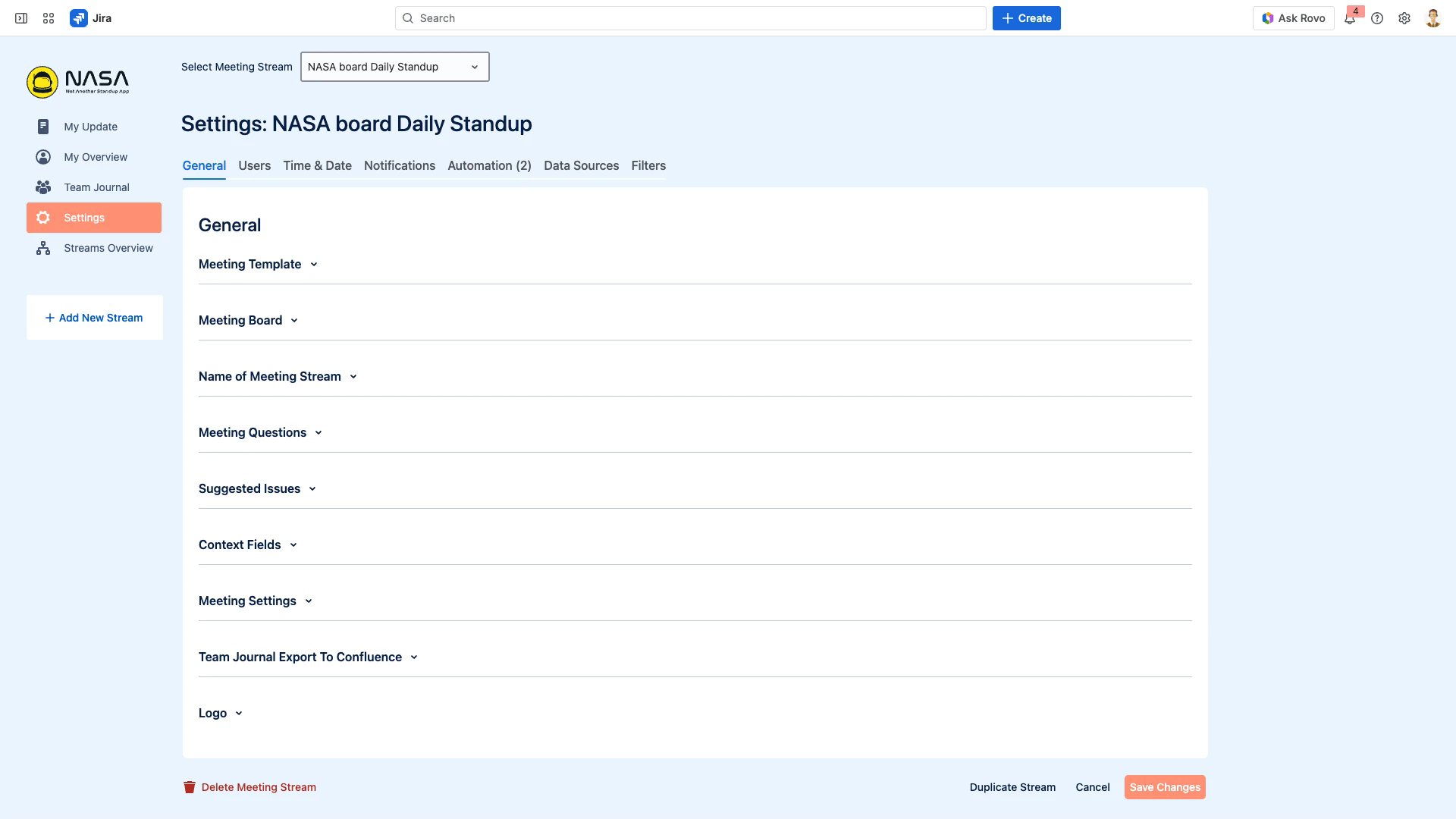
Settings are organized in 7 tabs across the top:
Tab | What You Configure |
|---|---|
General | Meeting template, Jira board, stream name, questions, suggested issues, context fields, meeting settings, Team Journal export, stream logo |
Users | Scrum Master, Coverer, and Participant assignments |
Time & Date | Meeting days, times, time zone, duration, cadence |
Notifications | Slack Update Reminder and Meeting Reminder |
Automation | Post-meeting webhook rules (max 5/question, 100/stream) |
Data Sources | Confluence connection |
Filters | Custom Jira (JQL) and Confluence filters |
The General tab uses expandable accordion sections. The bottom bar shows Delete Meeting Stream, Duplicate Stream, Cancel, and Save Changes buttons.
Only Scrum Masters and Coverers can access Settings. For details on each tab, see Meeting Settings.
Streams Overview
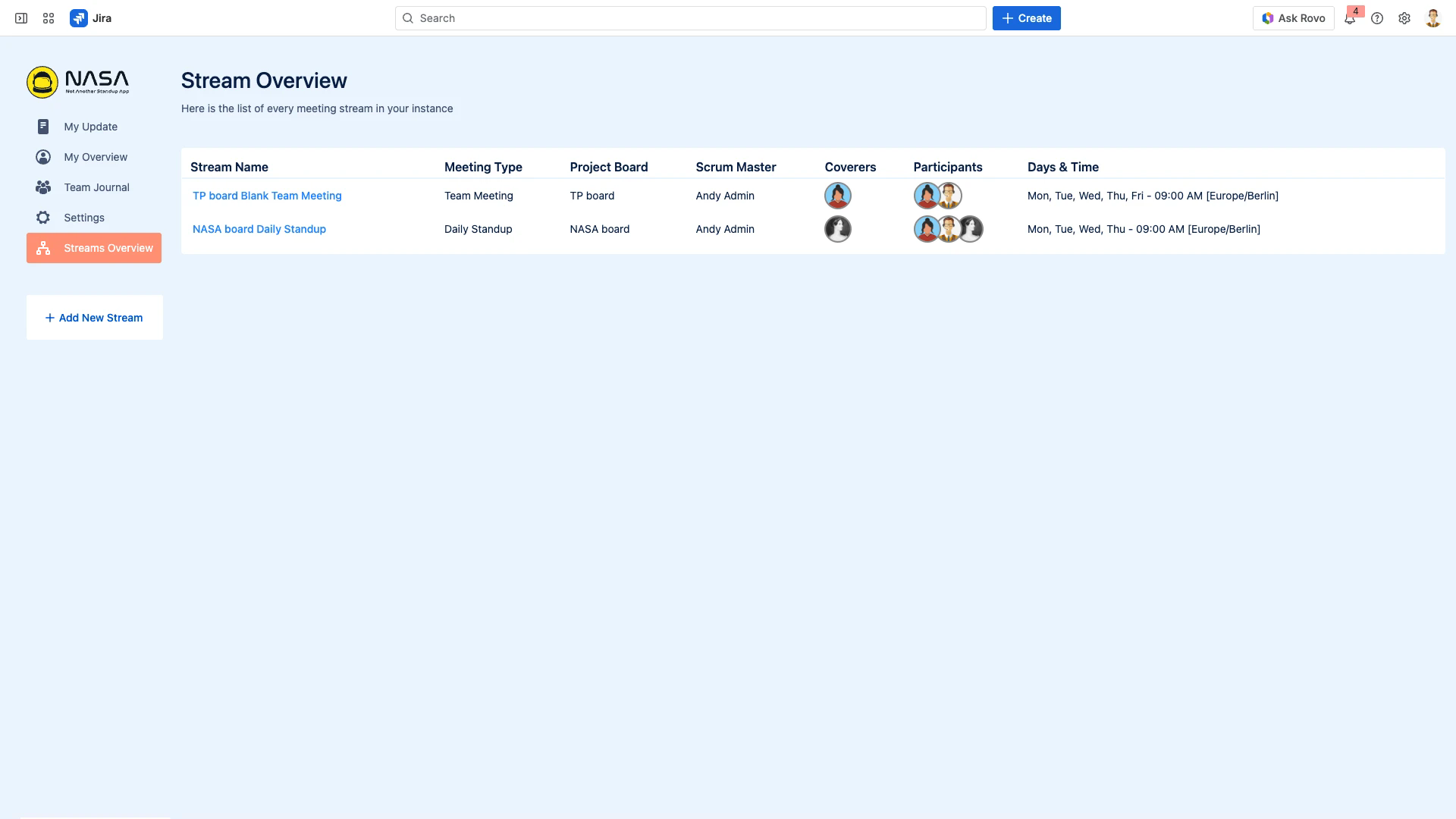
A table of all streams you have access to. Each row shows:
Stream Name - Click to open the stream
Meeting Type - Standup or Team Meeting
Project Board - Linked Jira board
Scrum Master - Primary facilitator
Coverers - Backup facilitators (avatar group)
Participants - Team members (avatar group)
Days & Time - Schedule with time zone
The Add New Stream button at the bottom of the sidebar creates a new stream.
Live Meeting Interface
During an active meeting, the interface changes to show:
Timer - Per-person countdown (Standup) or per-topic countdown (Team Meeting)
Participant avatars - Who joined the lobby, who is currently presenting
Follow-up panel - Flag items for post-meeting review
Emoji reactions - React to items during the meeting
Comment areas - Add comments to Jira issues inline
For details, see Live Meeting Features.