

Meeting Settings
Each NASA stream has its own settings that control the meeting structure, participants, schedule, notifications, and integrations. Only Scrum Masters and Coverers can access and modify stream settings.
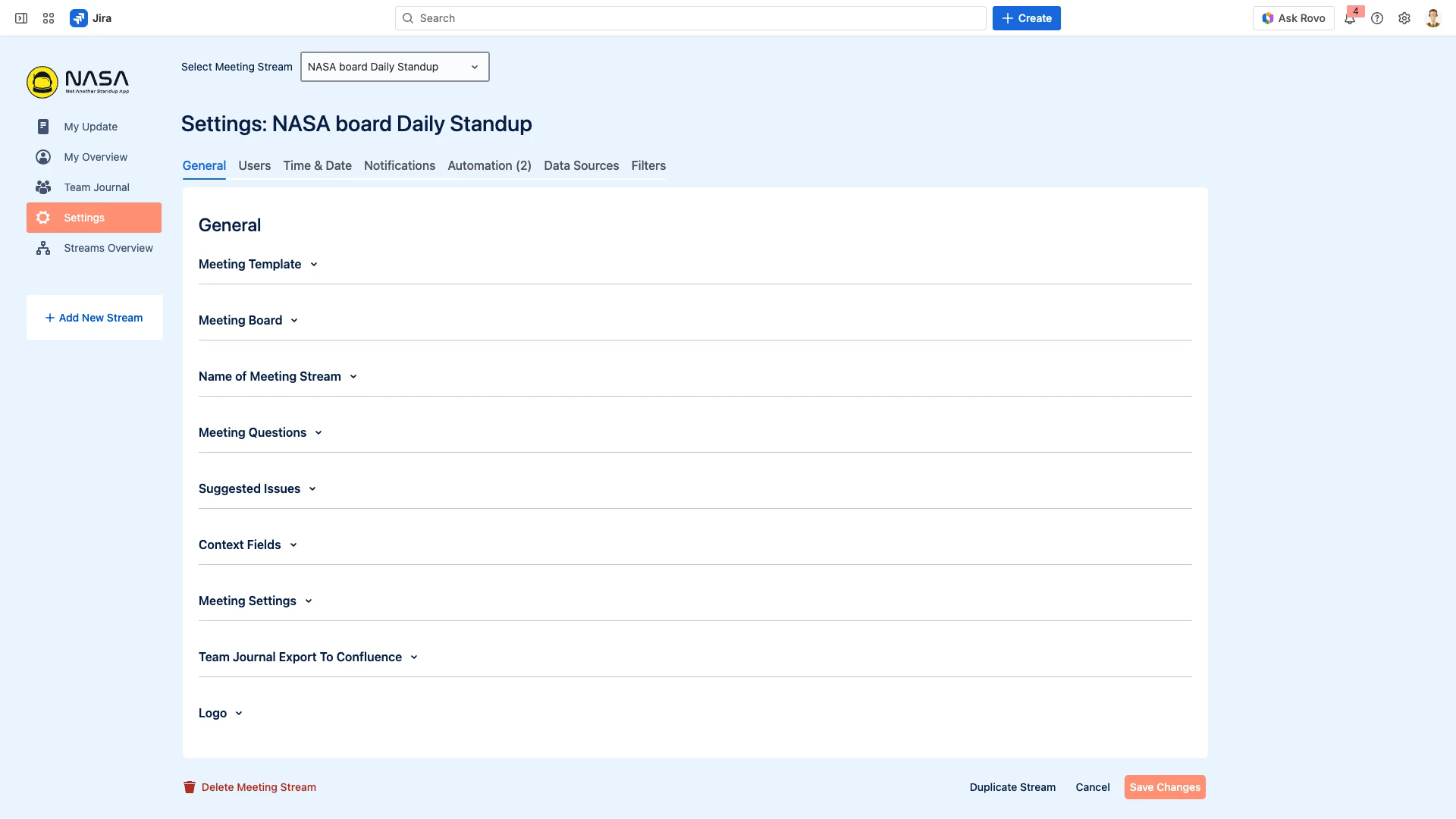
Accessing Settings
Select your stream from the dropdown at the top of the NASA interface.
Click Settings in the left sidebar navigation.
The settings interface is organized into tabs across the top of the page. Each tab controls a different aspect of the stream configuration.
Settings Tabs
General
Configure the meeting template, Jira board, stream name, meeting questions, suggested issues, context fields, meeting link, Team Journal export to Confluence, and stream logo. This tab also contains Duplicate Stream and Delete Stream.
Users
Assign the Scrum Master, Coverers, and Participants for the stream. Only users added here can participate in the stream's meetings.
Time & Date
Set the meeting schedule (days, start time, time zone), timer mode (per user or per meeting), meeting duration, and project cadence for statistics.
Notifications
Configure Slack-based update reminders and meeting reminders. Each stream can target a different Slack channel with customizable reminder timing and message text.
Automation
Create webhook-based rules that trigger Jira Automation when meetings end. Rules can create issues from text items, sync comments to Jira tickets, or run workflow transitions. Maximum 5 rules per question, 100 per stream.
Data Sources
Manage the Confluence connection for this stream. When connected, participants can add Confluence pages as agenda items and export Team Journals to Confluence.
Filters
Define which Jira issues and Confluence pages appear in the Suggested Items panel during preparation. Create filters by priority, issue type, status, JQL query, or Confluence page activity.
Related Pages
Stream-Based Workflow - How streams work, how to create and manage them
User Roles & Permissions - What each role (Scrum Master, Coverer, Participant) can do
Post-Meeting Automation - Detailed setup guide for webhook-based automation rules